















/ Solutions / Solu 365 – a controlled way to start and manage work in Microsoft 365
Most powerful knowledge management solutions
Solu Digital provides knowledge management and analysis models for today’s complex businesses.
Solu 365 – a controlled way to start and manage work in
Automate project work and document management structures in Microsoft Teams
Consistent ways of working. Controlled provisioning. Reliable automation.
Solu 365 standardizes how projects, sites, orders, deliveries, and other work entities are created as Teams or SharePoint workspaces. The solution ensures that every workspace is created with the correct settings, consistent structures, and aligned with your organization’s operating model.
The entire organization benefits from a transparent and unified way of working. Management gains visibility into collaboration, IT gains control over the environment, and users get a secure and easy way to create workspaces. Teams can work efficiently using tools that support processes within an environment tailored to the organization’s way of working.
Solu 365 reduces manual work, standardizes processes, and improves visibility across projects and teams throughout the organization.
Solu 365 runs on Microsoft Teams, SharePoint, Planner Premium, and Microsoft 365 Groups, automating the creation and management of workspaces.
Work starts – but not always in a controlled way
Organizations create new project teams, sites, orders, customer teams, productions, initiatives, and deliveries every day. Without standardized practices, workspaces are often created in an uncontrolled manner:
- information becomes fragmented
- teams are built in different ways
- documents are stored inconsistently
- workspace structures vary
- visibility and tracking are limited
- security risks increase
Solu 365 eliminates these challenges by standardizing how teams, projects, and deliveries are structured.
Solu 365 in practice – from form or integration to a ready-to-use workspace
Solu 365 introduces a standardized provisioning and governance model to Microsoft 365.
It can be easily deployed to create new workspaces via API calls. For example, REST APIs from source systems such as CRM or ERP provide an efficient way to automate information management processes.
Solu 365 is integrated with the organization’s other systems. Typical integrations include ERP, CRM, and HR systems, enabling workspaces to be created automatically when business processes are initiated.
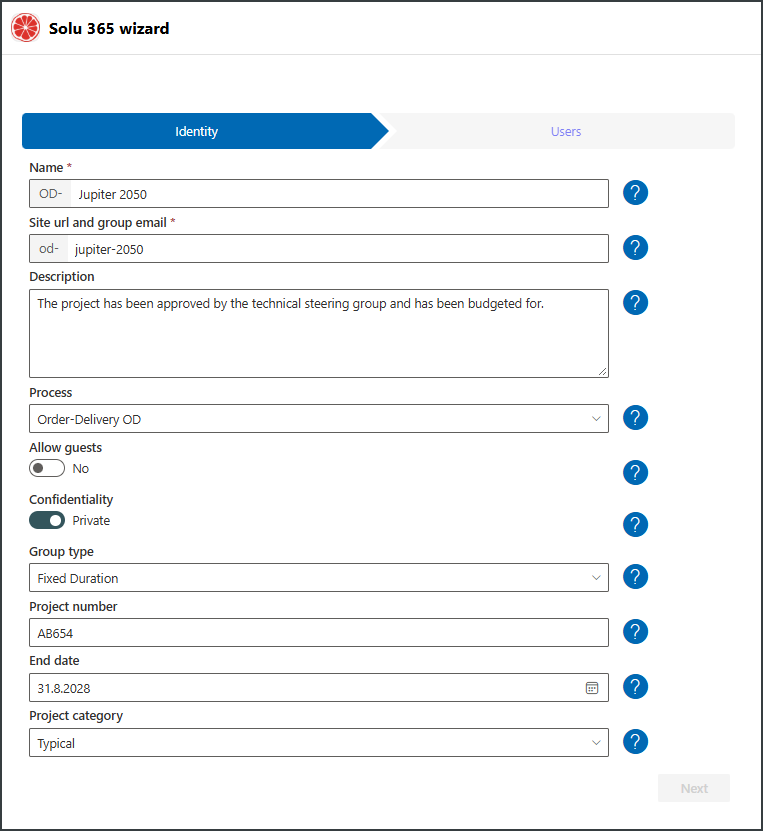
Alternatively, using a dedicated provisioning form, Solu 365 automatically creates workspaces based on user input, including:
- the correct Teams channels and folder structures
- ready-made document templates and metadata
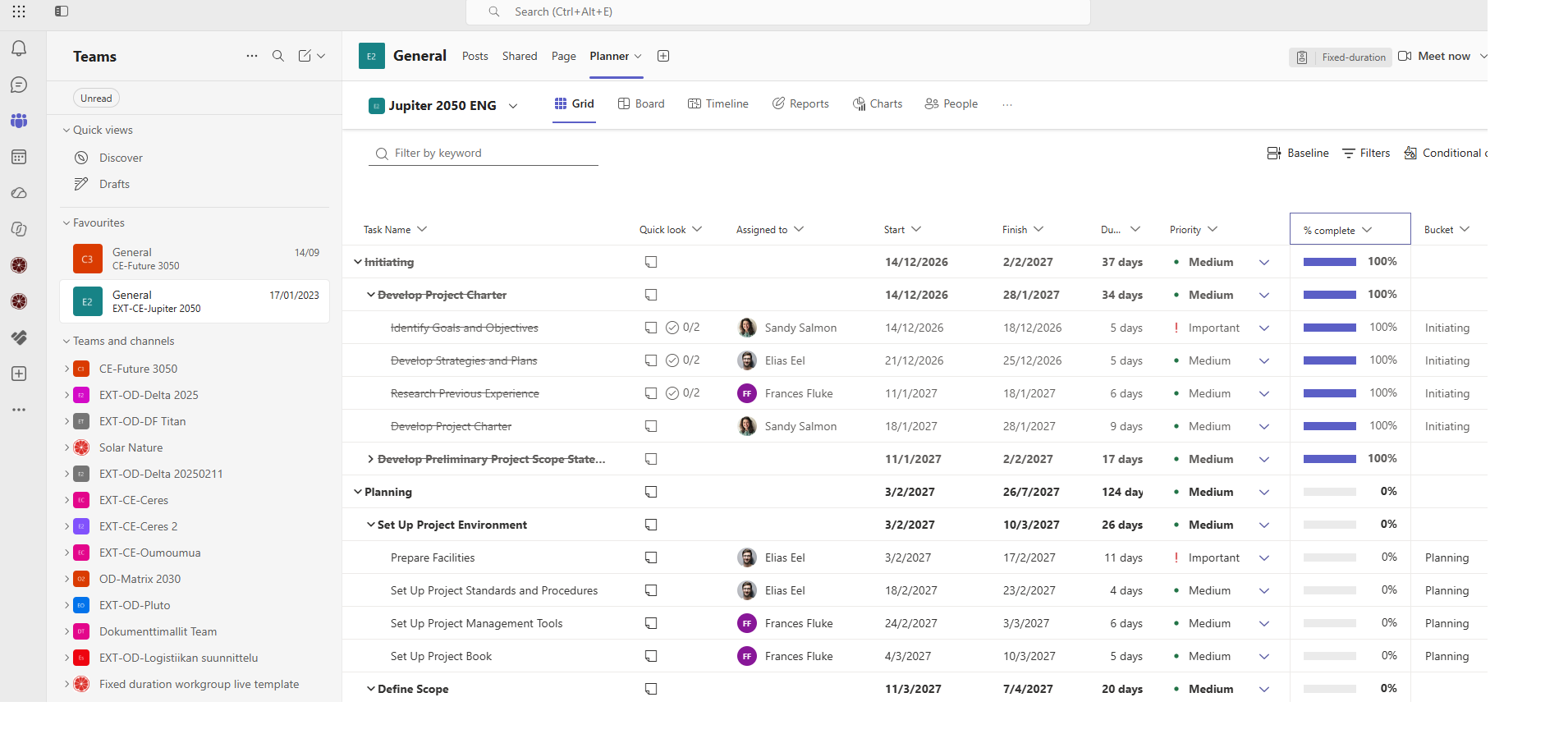
- Planner Standard or Premium project plans, tasks, and timelines
- OneNote notebooks and other tools
- role-based user management and permissions
- naming conventions and lifecycle rules
Additionally, Solu 365 applies classification labels and governance rules according to your organization’s information model.
Each workspace is created correctly from the start, with structure, security, and reporting built in.
A governance model that supports work – automatically
Governance is not just a guideline – it is technically enforced.
Solu 365 defines and automates:
- workspace creation based on data from source systems
- who can create what
- how the workspace is structured
- naming conventions
- required metadata
- ownership
- lifecycle and archiving
The governance model is not just documented – it is enforced automatically in every workspace.
What Solu 365 creates automatically
1. Guided workspace provisioning
- API- or form-based creation
- Multiple use cases (internal, external, project, etc.)
- Automatic settings and permissions
2. Standardized structures and governance
- Channel and folder structures
- Document templates
- Metadata columns and default values
- Naming conventions and classifications
- Role-based access control
3. Lifecycle management and visibility
- Deadlines and archiving rules
- Proactive notifications
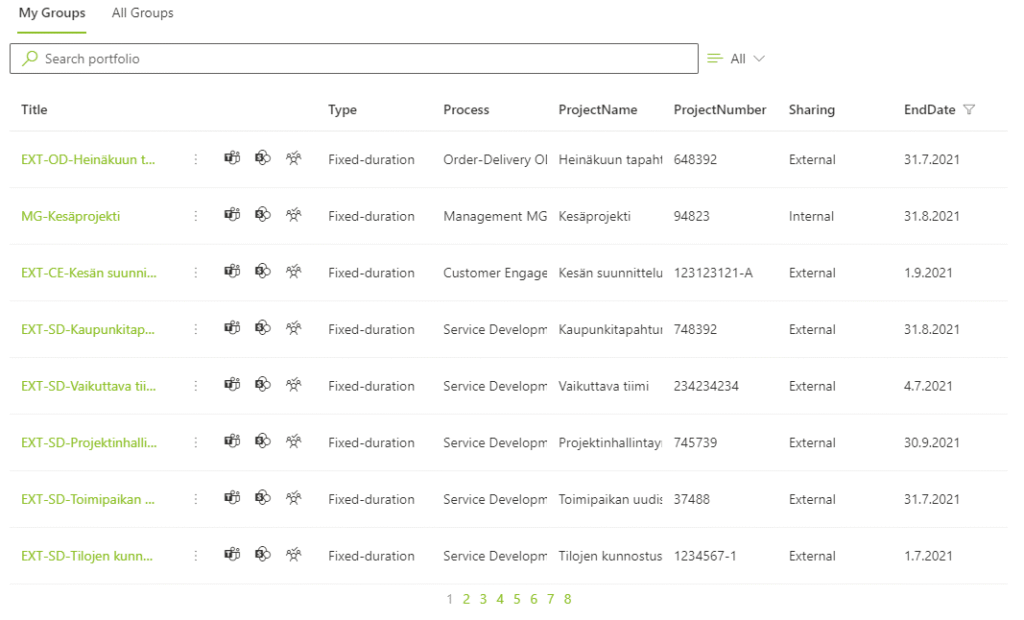
- Portfolio view across all Teams groups and projects
- Power BI-based reporting
Solu 365 combines workspace provisioning, document management, task management, and reporting into one controlled solution.
Solu 365 Portfolio – visibility into projects, resources, and workspaces
Solu 365 Portfolio brings all workspaces, projects, and other work entities into a single view.
- portfolio view across all projects
- resource utilization tracking
- timelines and prioritization
- Power BI reporting for management
Solu 365 Portfolio can be deployed as part of the Solu 365 solution or as a standalone solution.
Three key use cases
1. AI readiness, team management, and work organization
Solu 365 provides a strong foundation for AI-driven information processing and automation.
- Structured data from the start
- Consistent naming and storage practices
- Controlled document management
- Improved findability
- Sensitivity labels
Benefits:
AI and agents can be implemented securely and systematically. Teams work consistently, information is stored correctly, and collaboration becomes more efficient.
2. Project and delivery automation
Solu 365 streamlines how projects and deliveries are initiated.
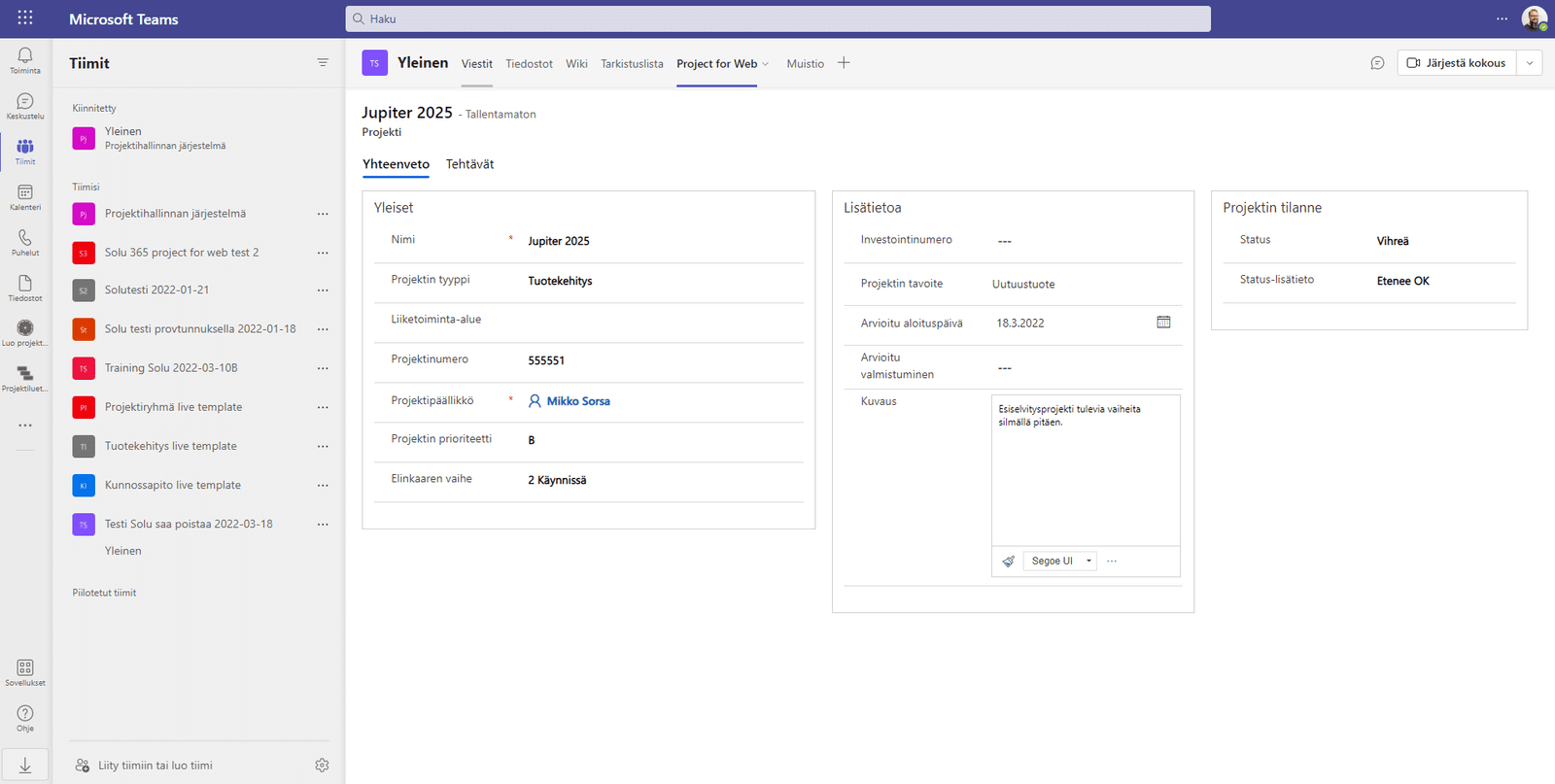
- Automatic project team creation
- Ready-to-use Planner Premium structures
- Tasks, schedules, and resources based on templates
- Project portfolio view and reporting
Benefits:
Consistently structured projects, less manual work, and improved visibility.
3. Templates – centralized document management
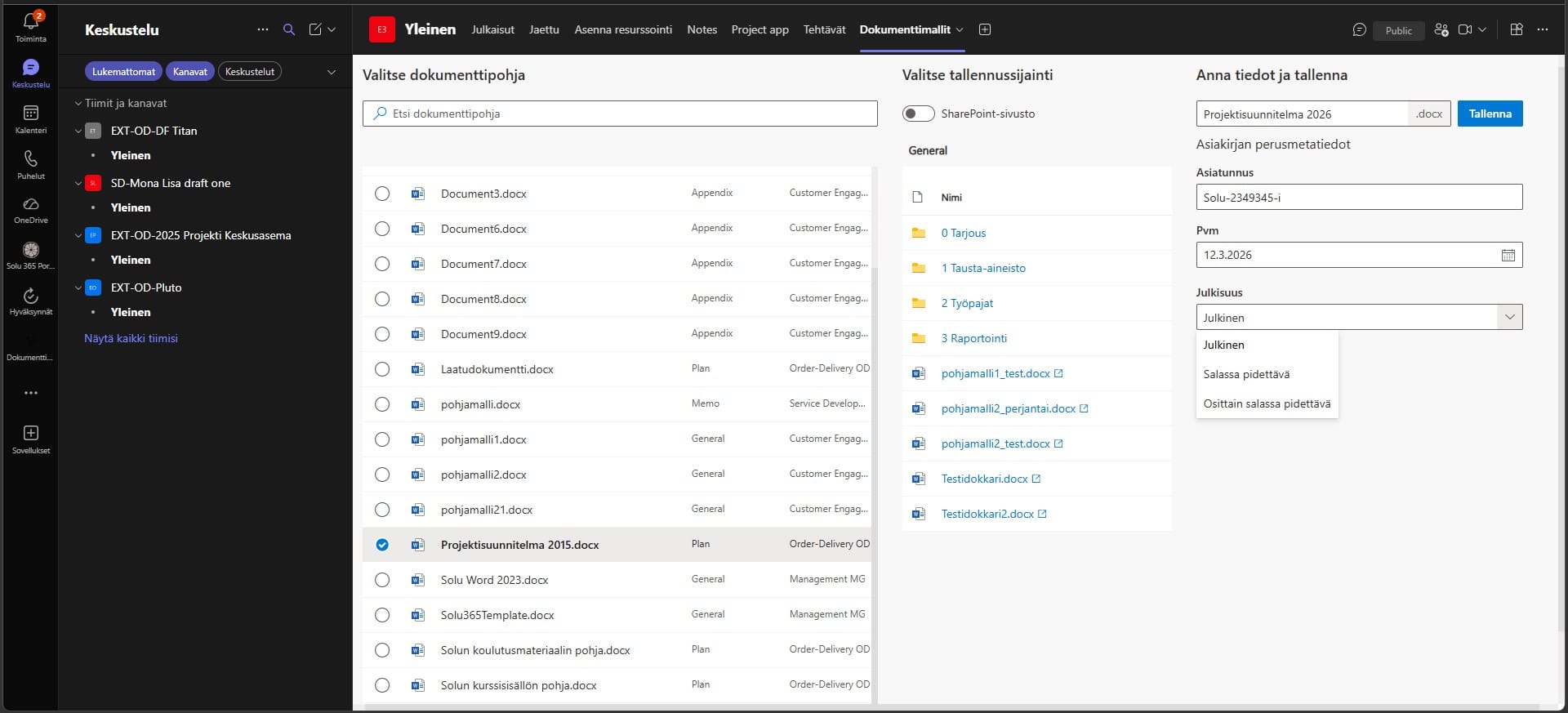
Solu 365 Templates centralizes document templates and automates their usage.
- Centralized template management
- Automatic metadata population
- Consistent and accessible documents
- Updates across the organization
Benefits:
Up-to-date documents, fewer errors, and standardized ways of working.
Two ways to deploy Solu 365
Solu 365 can be implemented in two ways. Both offer the same functionality – the difference lies in the delivery model.
Solu 365 Dedicated
Installed in your own Microsoft 365 environment.
- fully customizable
- full technical control
Suitable for organizations that require maximum independence, control, and flexibility.
Solu 365 SaaS
A fully managed service hosted by Solu Digital.
- fast deployment
- automatic updates
- no Azure maintenance required
- predictable cost structure
The SaaS model includes all resources required to run Solu 365 automation without the need to manage a separate Azure environment.
Suitable for organizations that want a managed solution without the responsibility of technical maintenance.
Solu 365 is not a one-off project, but a continuously evolving solution. With the SaaS model, organizations gain access to the latest features without the need for separate upgrade projects.
Pricing
Solu 365 SaaS – monthly pricing
Organization size | Price / month |
Up to 1,000 users | €620 |
1,000–5,000 users | €920 |
More than 5,000 users | €1,170 |
Solu 365 SaaS – annual pricing
Organization size | Price / year |
Up to 1,000 users | €5,400 |
1,000–5,000 users | €9,000 |
More than 5,000 users | €12,000 |
Solu 365 Dedicated
Deployed in your organization’s own Azure and Microsoft 365 environment.
The SaaS service includes all resources required to run Solu 365 automation, as well as maintenance of the technical environment.
Phased deployment
Solu 365 deployment proceeds in phases:
- Assessment of the current state and requirements
- Design of workspace templates and structures
- Solution deployment
- Ongoing support and further development
The solution can be deployed quickly and expanded in phases.
How Solu 365 supports your organization
For end users
- Easy workspace creation
- Ready-made structures
- Smooth project and team onboarding
For managers and project leads
- Standardized project models
- Better visibility and tracking
- Less manual setup work
For IT and administration
- Governance model for collaboration
- Automated security and classification
- Lifecycle management and audit capabilities
Solu 365 at the core of your operations
Solu 365 adapts to different industries. It supports both permanent structures (teams, departments, initiatives) and project-based, lifecycle-driven work.
Construction and infrastructure
Manage sites and construction projects with standardized project structures in Microsoft 365.
Ready-made templates, phase-based folder structures, and role-based access control ensure consistent ways of working across all sites.
Manufacturing and industrial production
Manage orders, production, and deliveries with standardized workspace models in Microsoft 365.
Secure collaboration with suppliers and partners, combined with controlled document management, keeps information consistent and accessible.
Field service and maintenance
Manage work orders, installations, and service sites while coordinating mobile workforce in Microsoft 365.
Structures that support resource planning and provide visibility into all ongoing work orders help keep operations under control.
Public sector
Manage initiatives and programs with transparent and compliant lifecycle management in Microsoft 365.
Standardized document templates and transparent document management ensure consistency and compliance across the organization.
Customer stories
Solu 365 is used across industries to manage projects, collaboration, and document workflows.
Ready to eliminate manual work in Teams?
Solu 365 reduces manual work, improves visibility, and ensures that every workspace is created correctly from the start.
Our customers' experiences
Juha Nevalainen
Scania Suomi • Sales Director, Scania Services

4.0
Esa-Ville Vanhatupa
IT services of the city of Turku • Project manager

5.0
Juha Sarsama
Panostaja • CEO
Kristian Hartikainen
Business Finland • Senior Advisor

5.0
Mikko Tätilä
Forendo Pharma • Information Technology Manager
Seppo Perkiö
HSL - Helsinki Region Transport • IT Manager
Peter Krause
Transmeri • Development Director, ICT & Digital Services
Tarja Ihalainen
Teknologiateollisuus ry • Jäsenpalvelupäällikkö
Inessa Taneli
Sako Oy • Project manager
Lauri Eskola
SSAB • Application Manager
Inessa Taneli
Sako Oy • Project manager
Jere Penttinen
Boliden Kokkola • Investment manager
Lasse Palminen
Keskisuomalainen • IT director
Marko Salmi
Boliden Kokkola • Digitalization manager
Read more articles by our experts

Solu 365 Templates brings centralized management of document templates to the Microsoft 365 environment
Solu 365 Templates consolidates an organization’s document templates into a single, centralized service within the Microsoft 365 environment. The solution supports the consideration of document standards, metadata, and accessibility requirements, as well as centralized maintenance at the template level.
Automate project management with the Solu 365® tool
The Solu 365 automation tool guarantees consistent management of projects and project resources in your organization in a transparent and secure manner.
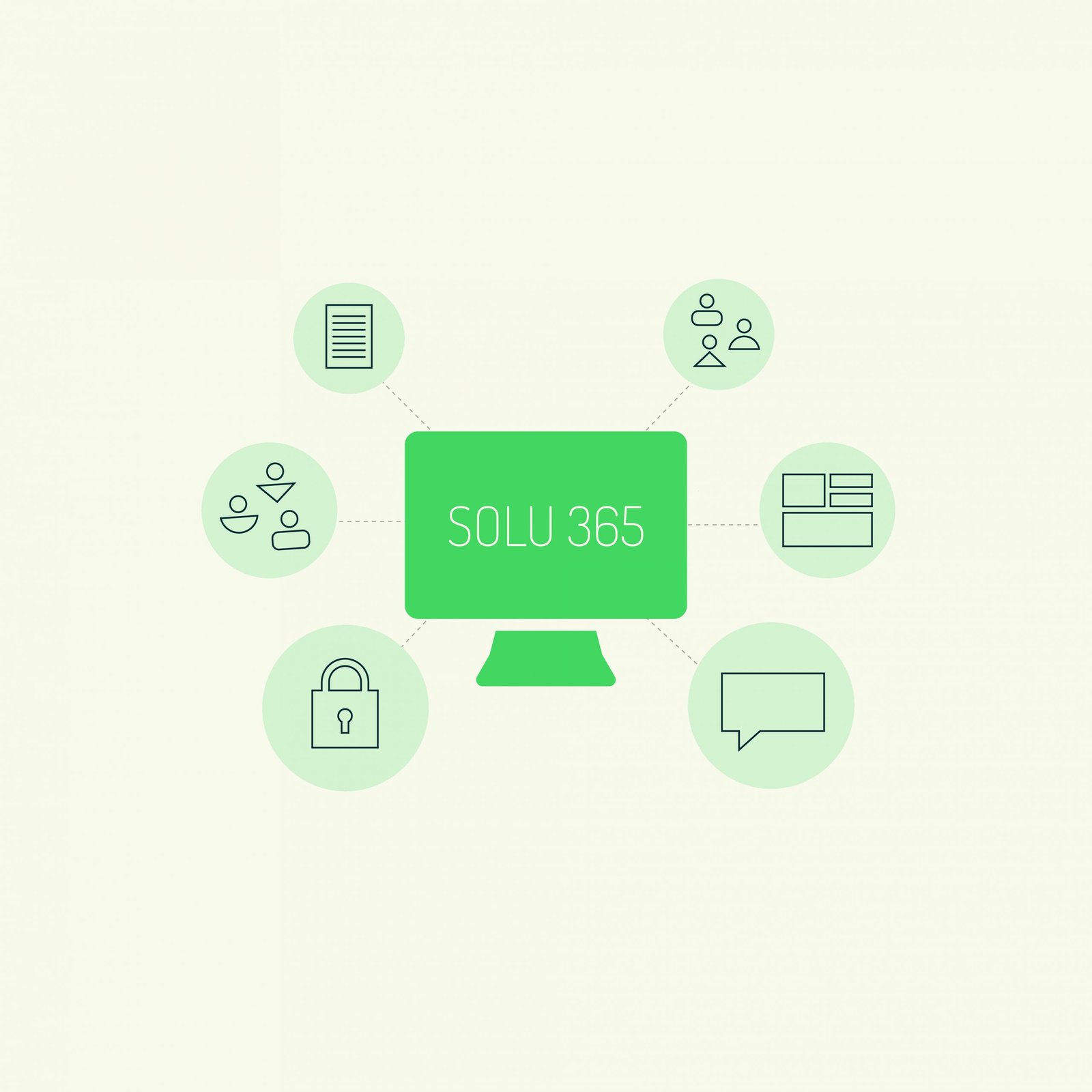
Teams management with Solu 365® workgroup automation
Increase the manageability and transparency of Microsoft Teams with Solu 365®. Workgroup automation simplifies the group creation process and improves security.


