- / Services
- / Office 365 training
Training
We implement training tailored to our customers, and infomercials based on customer needs. Alongside training, we also create instructional videos and documents to fit the customer’s environment. We tailor our training entirely based on the customer’s situation and requirements, and arrange training from traditional training days to online training and demonstrations.
Office 365 training
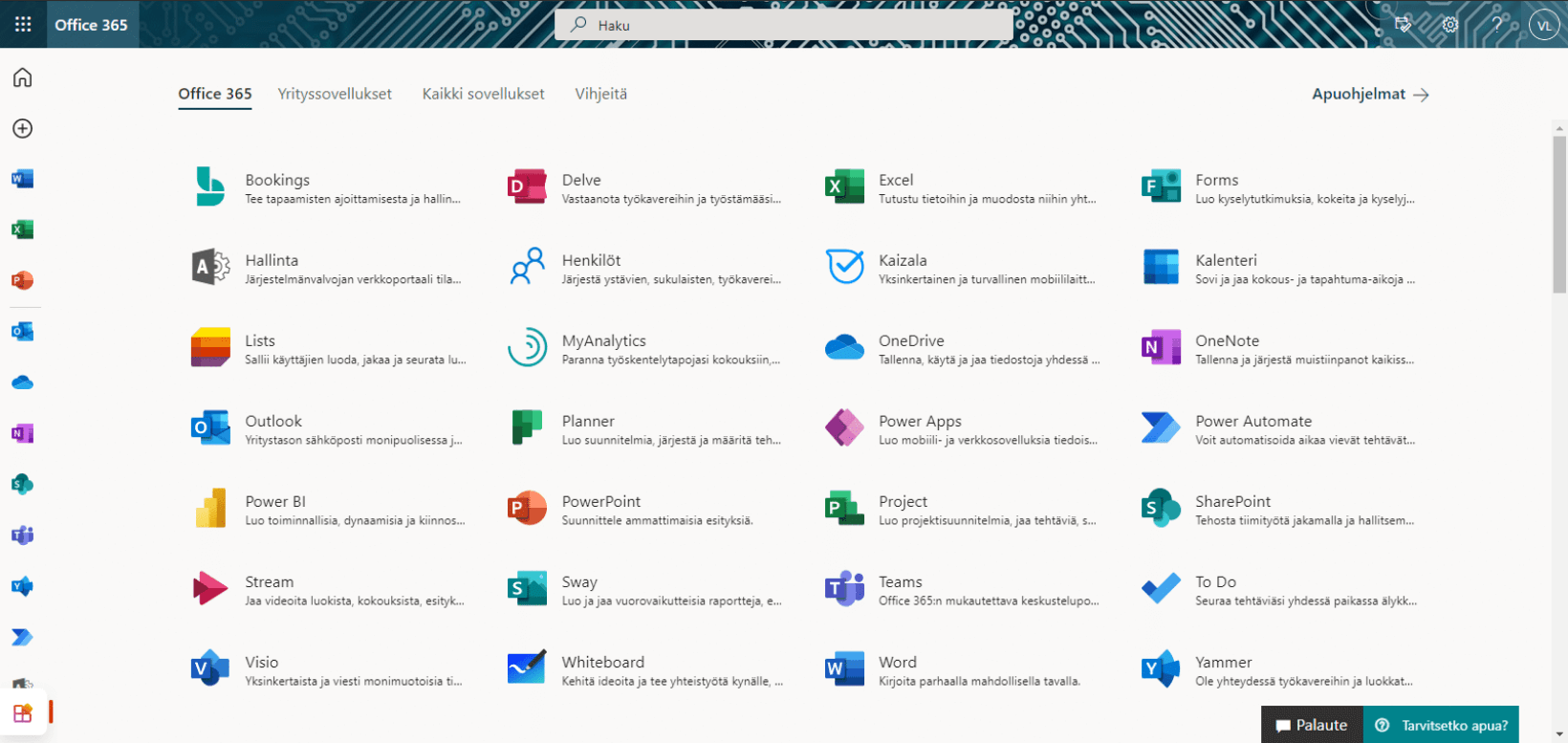
With our Office 365 training, every member of your organization learns to take advantage of the different uses of Microsoft systems to make your work more efficient.
However, it is often the case that despite licenses, organizations use only a small portion of the capabilities of Office 365. In addition, often only a small percentage of employees in an organization take advantage of Office 365 in a variety of ways, and implementing it across the entire personnel can be surprisingly challenging.
”When Office 365 came, we got the feeling that we needed a partner with experience in setting up such environments already, and from Solu Digital we found one.”
Office 365 boosts collaboration
When an organization has common rules for use of tools and the necessary skills to use Office 365, community’s work becomes more transparent, smoother, and conducive to an individual’s wellbeing at work.
In addition, in expert and information work, security is paramount, which is ensured by the correct use of Office 365.

We help and train in deployment
We help you deploy Office 365 for all personnel and develop common policies for Office 365. We help your organization get the most out of Office 365.
It is important to us that we support our customers and train them to use the systems in a people-friendly and understandable way. This allows each member of the organization to effectively learn how to use Microsoft systems, regardless of role.
Tailored Office 365 training for business application development
With our tailored Office 365 training, every member of your organization can effectively learn how to use Microsoft systems.
Our Microsoft-certified trainers hold training as face-to-face and remote training sessions. In arranging our training, the COVID-19 recommendations and regulations in force at the time are taken into account.
Our hands-on training helps users take advantage of the opportunities offered by Office 365 programs to boost their own work.
The structure and content of the training sessions will be planned and implemented as you wish, such as:
- Longer, 2-3 hours long training sessions in which participants practice using the features and functionalities themselves.
- Shorter-duration, approximately 30–60 min information-intensive training as a review of features and functionalities
- In the form of workshop-type training to identify best practices for using Office 365 programs in an organization
- Design and implement training materials such as videos, written instructions, tutorials, and Teams applications to support long-term user work
Office 365 training topics
Office 365 training is a recommended training, especially when deploying O365, for all personnel. The training day can be composed of several themes and, for example, different types of training. We tailor the training completely to your needs.
For example, Office 365 training may include the following themes:
”Some kind of cultural change is central when this kind of Office 365-type environment is introduced, and in this case we have moved forward with a really good attitude.”
Email and message management
- Outlook views and settings
- Handling messages
- Search commands and search files
Communication sites and company intranet
- Front page and moving between content sections
- Search
- Browsing the news
- Creating news
- Front-page management and network parts
Calendar and time management
- Calendar markings and settings
- Invitations for meetings
- Using several calendars
- Licence to share calendars
OneNote
- Electronic notes
- Foundations of OneNote
- Co-operation of OneNote and Outlook
Teams
- Status flags and settings
- Instant messaging
- Screen sharing
- Online meetings: participating and holding
Our customers' experiences
Juha Nevalainen
Scania Suomi • Sales Director, Scania Services

4.0
Esa-Ville Vanhatupa
IT services of the city of Turku • Project manager

5.0
Juha Sarsama
Panostaja • CEO
Kristian Hartikainen
Business Finland • Senior Advisor

5.0
Mikko Tätilä
Forendo Pharma • Information Technology Manager
Seppo Perkiö
HSL - Helsinki Region Transport • IT Manager
Peter Krause
Transmeri • Development Director, ICT & Digital Services
Tarja Ihalainen
Teknologiateollisuus ry • Jäsenpalvelupäällikkö
Inessa Taneli
Sako Oy • Project manager
Lauri Eskola
SSAB • Application Manager
Inessa Taneli
Sako Oy • Project manager
Jere Penttinen
Boliden Kokkola • Investment manager
Lasse Palminen
Keskisuomalainen • IT director
Marko Salmi
Boliden Kokkola • Digitalization manager
Read more articles by our experts
The biggest challenge in project work is not the number of tools – it is fragmented information. A single project platform provides visibility, supports better