
Meeting room reservation functionality for Microsoft Outlook calendar bookings has long served the needs of small and large organizations in terms of supporting meeting practices. Now Microsoft has taken that convenient feature one level further by launching a workspace reservation in addition to meeting reservation functionalities.
Until now, functionality like this has usually been implemented with an application built with Microsoft Power Apps. The new workspace reservation feature is already available to all Microsoft 365 users and is easy to deploy at the organizational and user levels.
How, then, do workspaces differ from conference rooms that have been available for a long time? In the age of open-plan offices, multi-location group workstations and mobile workspaces have become more common, with the original purpose of serving ad hoc workspace needs.
Such workstations are typically located, for example, along the corridors or nearby the walls of open-plan offices, they may have completely separate spaces reserved for them, for example in the area of a quiet work space, or the spaces may be equipped differently from other workstations.
An improved booking experience saves time
In Microsoft’s view, these workspaces can now be booked individually in the same way as meeting rooms and other workspaces, as before. The same rules and policies apply to booking workspaces as for meeting room reservations. The main difference regarding workspaces is that when booking them, the number of workspaces to be reserved and the minimum duration of the reservation must be set.
If half of the 10 workstation booking resources are already in use, then only 5 people can book workspaces for a certain period of time. If the 11th person tries to book one, their booking request will be automatically rejected. This brings clarity to the use of workspace capacity, and there is no need to run additional PowerApps applications in the background.
Easy deployment in organisations
Setting up workspaces is practically the same as when creating a new conference room resource. Setting the mailbox type correctly is the key to the whole thing. After this, it may take up to 24 hours to provision the new mailbox as a workspace.
In addition to adding required metadata, the new workspace is added to the appropriate resource list so that it appears, for example, in the list of the correct city and building. Once the capacity of the workspaces and their minimum booking time have been set, the operation is complete. This action can take up to 24 hours too to be able to find a new workstation by searching and for it to be updated to the space booking lists.
When making workspace reservations, it is good to note that the only way to make reservations is to add individuals to the meeting invitation when the workspace reservation is made. Therefore, email distribution groups or lists cannot be used for bookings.
A familiar functionality to users
When making a new calendar reservation in Outlook calendar, the employee first scrolls through the room search to select workplace location.
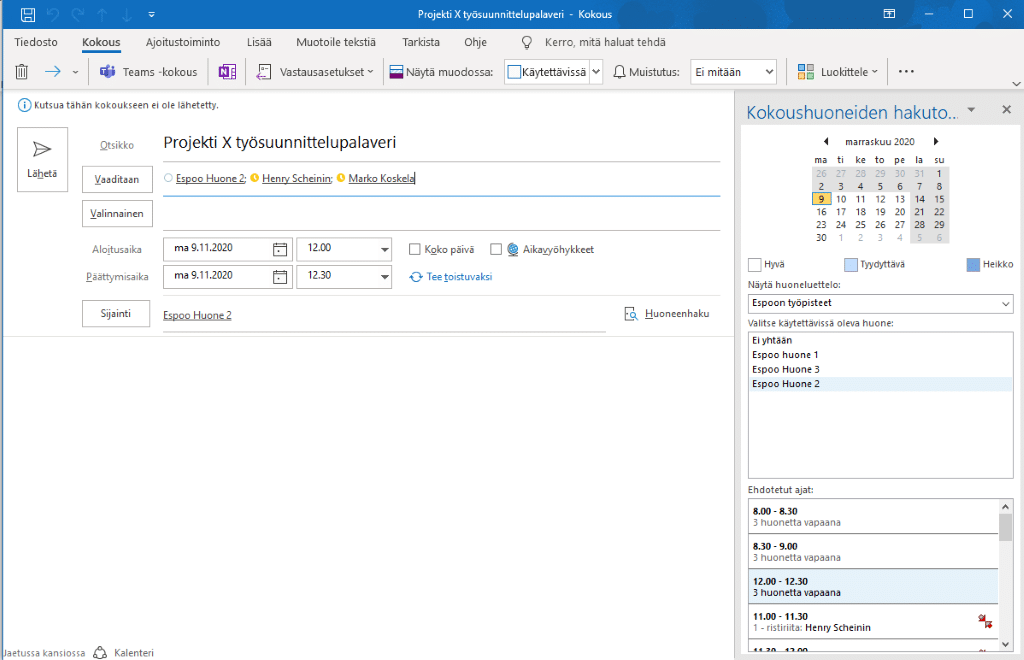
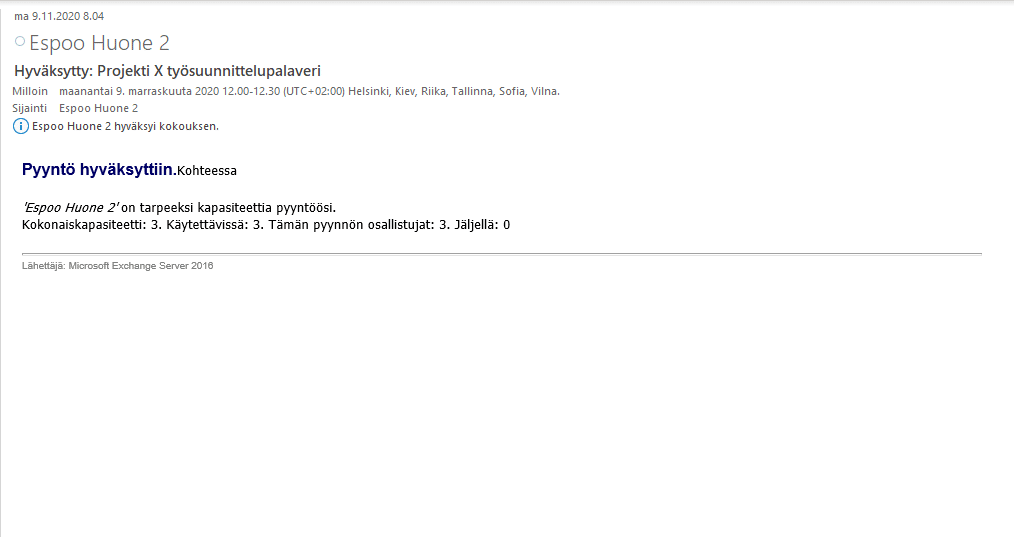
After sending an invitation to the meeting to both the workstation resources and the participants, the person will receive an automatic acceptance or rejection notification for the workspace’s booking request. Depending on the number of participants in the meeting, the announcement will determine if the required number of workspaces can be reserved and how many would remain available to be reserved.
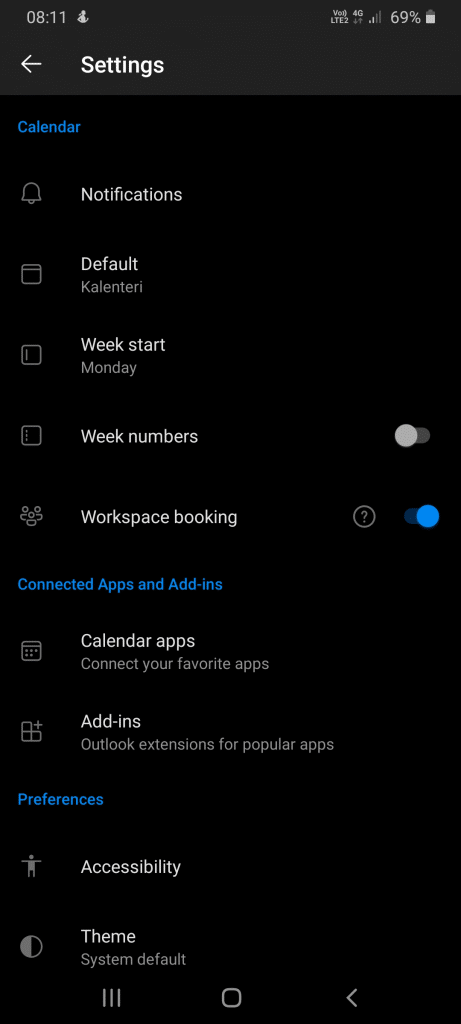
In the Outlook mobile apps for Android and iOS, the functionality is even easier to use thanks to the straightforward interface. By activating the workspace booking item in the calendar section of the application settings, a new functionality will appear in the calendar view.
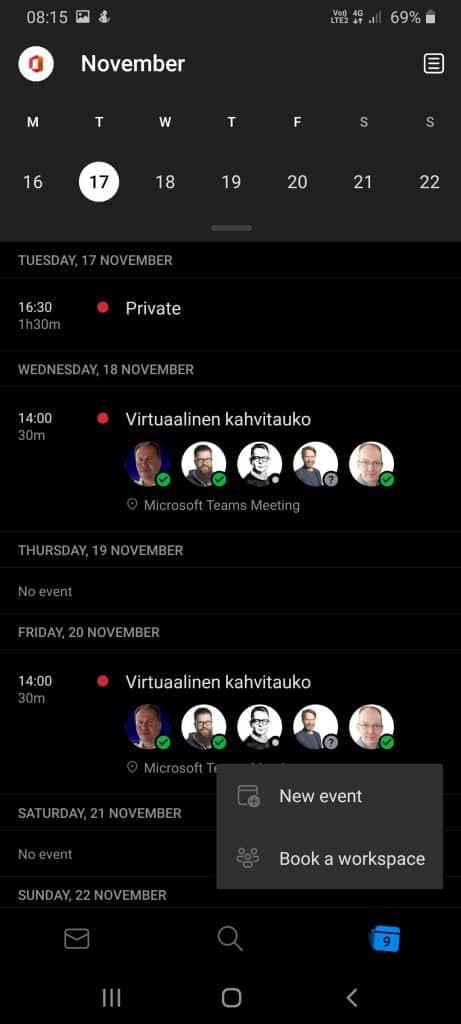
By pressing the plus button, in addition to the new calendar reservation, you can make a direct workspace reservation for some independent work.
The functionality is a welcomed addition to the spectrum of Outlook calendar booking features to make your work more efficient by making full use of workspace resources. I am sure that this functionality will be introduced swiftly in organizations around the world.
Do you want to discuss further utilizing all the Microsoft 365 features and how to deploy them in your organization? Please contact and we’ll plan a deployment to meet you needs!
Jere Palanne
CTO, Partner