- / Services
- / Power BI training
Training
We implement training tailored to our customers, and infomercials based on customer needs. Alongside training, we also create instructional videos and documents to fit the customer’s environment. We tailor our training entirely based on the customer’s situation and requirements, and arrange training from traditional training days to online training and demonstrations.
Power BI training
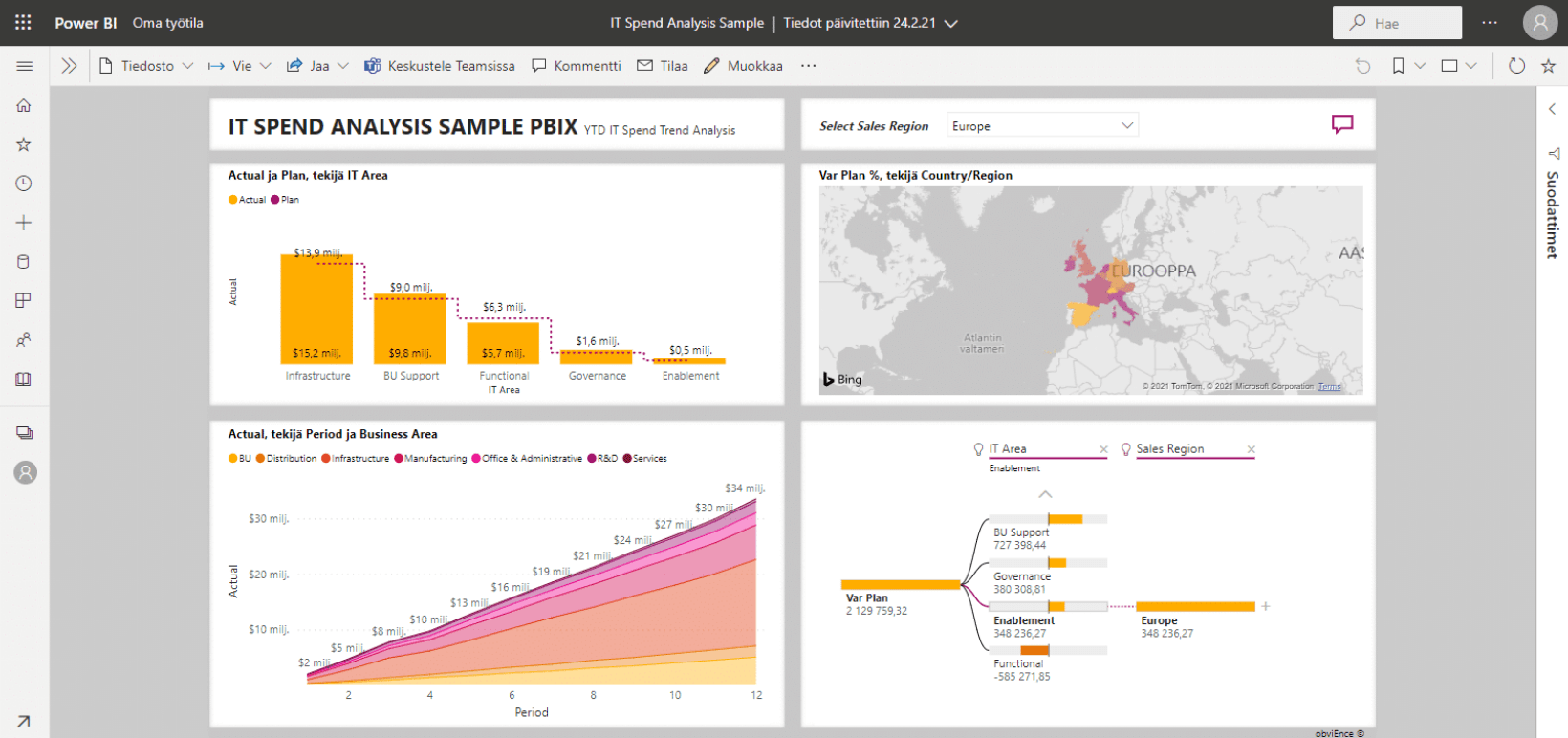
Power BI training helps users understand how to boost work by leveraging the comprehensive business analysis, reporting, and visualization models Microsoft Power BI provides in their day-to-day work.
Microsoft Power BI helps you lead and manage your business with up-to-date reports. The tool is part of Microsoft’s Power Platform, a set of tools that enhance the acquisition, storage, and analysis of business-critical information in the company.
With Power BI, you can conveniently combine data from different systems, files, and the cloud when building reports. You can facilitate a virtual conversation with reporting by publishing reports by the audience, for example, in SharePoint or Teams. You can also comprehensively filter up-to-date, easy, and clear data from reports created with Power BI, and, if necessary, analyze the underlying data by drilling deeper into the data.
Improve your organization’s knowledge management and information management by freeing up time from manual work and calculation, for example, for BI data analysis. Decision-making speeds up and the risks of human error are reduced when Power BI reports are utilized as a part of the day-to-day life of a company or organization.

We make Power BI easier to understand
Power BI is a versatile system for many employees, and it is often challenging to figure out and understand how it would fit into your own work. We are happy to help with our top experts who specialize in the world of Power BI and its possibilities. We help you understand what Power BI has to offer in your daily life and how you can use Power BI to streamline your own operations and your business.
Power BI may easily be perceived as a tool that only benefits employees doing, for example, analytical work or calculations, but, every member of the organization can benefit from using Power BI. Therefore, getting to know Power BI is beneficial for all staff. We tailor the training completely to your needs.
Customized Power BI training for more efficient reporting and data analysis
Tailored Power BI training designed to meet your organization’s needs to enhance the use of the tool and promote the development of a knowledge management culture in your organization.
Our Microsoft-certified trainers hold training as face-to-face and distance learning training sessions. When organizing our training, we consider the COVID-19 related recommendations and regulations in force at the time.
In our hands-on training, every member of the organization learns to understand the solutions enabled by Power BI for managing, reporting, and analyzing business information.
“You get really personal, reliable service from Solu Digital. The technology expertise of Solu is the very best possible. If you need Microsoft technologies in the data area then you can get almost anything from Solu Digital.”
The structure and content of the training sessions will be planned and implemented as you wish, such as:
- 2-3 hours as training sessions where participants get an overview of the possibilities of Power BI and get to do hands-on exercises.
- As workshop-type trainings, where we plan the best practices and practices for utilizing Power BI in the organization.
- Design and implement comprehensive training materials such as videos, written instructions, tutorials, and Power BI reports to support long-term user work.
The content of the Power BI training by subject areas
Our training may include, for example, the following topics, and they can be combined to suit your needs:
Power BI training: basics
- Introduction to using PowerBI Desktop
- General terms and concepts
- Uploading data and defining connections
- Creating instruments, visualisations
- Basics of DAX
- Updating and publishing reports
Power-use of Power BI
- Basic concepts of relational databases
- Different techniques for loading data into a data template
- Analysing and editing reports
- Publishing reports and scheduling
- More advanced properties of DAX
- Row-level access specification
Power BI training for IT management
- PowerBI in brief
- Direct query, live query, import mode, yhdistelmämalli
- Managing access
- Row-level access specification
- Sharing reports (workspace, application, publish to web)
- Onpremise Gateway
- Management properties
- PowerBI vs PowerBI Premium
Our customers' experiences
Juha Nevalainen
Scania Suomi • Sales Director, Scania Services

4.0
Esa-Ville Vanhatupa
IT services of the city of Turku • Project manager

5.0
Juha Sarsama
Panostaja • CEO
Kristian Hartikainen
Business Finland • Senior Advisor

5.0
Mikko Tätilä
Forendo Pharma • Information Technology Manager
Seppo Perkiö
HSL - Helsinki Region Transport • IT Manager
Peter Krause
Transmeri • Development Director, ICT & Digital Services
Tarja Ihalainen
Teknologiateollisuus ry • Jäsenpalvelupäällikkö
Inessa Taneli
Sako Oy • Project manager
Lauri Eskola
SSAB • Application Manager
Inessa Taneli
Sako Oy • Project manager
Jere Penttinen
Boliden Kokkola • Investment manager
Lasse Palminen
Keskisuomalainen • IT director
Marko Salmi
Boliden Kokkola • Digitalization manager
Read more articles by our experts
The biggest challenge in project work is not the number of tools – it is fragmented information. A single project platform provides visibility, supports better